FlightMath Overview
When FlightMath initially launches, you will see a single window
that will look similar to this:
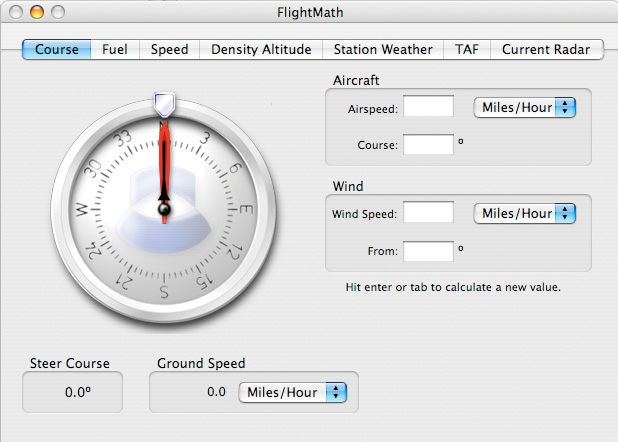
This window is divided into five tab panes:
- Course
This pane contains tools to let you calculate the course
correction needed to compensate for wind. This pane is visible
above.
- Fuel
This pane provides the means to calculate any one of flight
time, burn rate, or capacity of fuel, given the other two. You can
also perform units conversion using the burn rate and capacity
fields.
- Speed
Similar to the Fuel Consumption pane in appearance and
function, but calculates flight time, speed, or distance.
- Density Altitude
This pane makes density altitude calculations mind-numbingly
easy. You can either enter known information, or you can import downloaded
weather information.
- Station Weather
From here you can download surface weather information from thousands of airports that have an ICAO code. You can also
import that data into the density altitude pane for automatic computations.
- Terminal Area Forecasts (TAF)
The TAF pane allows you to download TAF weather information from major airports. You can display the data in the raw TAF format, or
have FlightMath translate it.
- Current Radar
You can download radar images and radar loops from many airports and weather stations in the United States, as provided by
NOAA (National Oceanic and Atmospheric Administration).
We are researching International radar images. If a source can be located, they will be added in the next version.